TeamViewer Portable 15.73.6 Download for Windows 2026
15.73.6Updated
Virus FreeNo AdwareSafe DownloadLab Tested
Download TeamViewer Portable with a Direct Link is the best software for connecting to another computer without installing anything. You can open it from a USB or any folder start using it.
Virus-free • Verified by FreewareLab
Download TeamViewer Portable Latest Version for Windows 2026
Download TeamViewer Portable with a Direct Link is the best software for connecting to another computer without installing anything. You can open it from a USB or any folder start using it.
5.0(2)
0 downloads
Jan 24, 2026
TeamViewer Portable 15.73.6 Download for Windows 2026 Video Overview
Watch this video to learn more about TeamViewer Portable 15.73.6 Download for Windows 2026 features and how to use it.
TeamViewer Portable
Download TeamViewer Portable with a Direct Link is the best software for connecting to another computer without installing anything. You can open it from a USB or any folder start using it right away. TeamViewer lets you see the other screen control the computer and share files safely. This portable version is light simple and great for quick help even for users with no technical skills.
TeamViewer Portable Overview
TeamViewer Portable is a simple remote desktop tool to help you connect to another computer without installing any software. You can open it directly from a folder or USB drive start using it instantly. TeamViewer is designed for quick and easy remote access.
TeamViewer Portable Key Features
- You can use TeamViewer Portable without installing it on your computer. Just open the file and start using it.
- It works directly from a USB drive or any folder making it easy to carry and use anywhere.
- You can connect to another computer in seconds and start working or giving help right away.
- It allows you to view and share screens clearly, which is useful for support or teaching.
- You can control the keyboard and mouse of the other computer as if you are sitting in front of it.
- You can send and receive files between computers easily without extra tools.
- All connections are protected by strong security measures keeping your data safe during use.
- The layout is simple and easy to understand, even for users with no technical skills.
- The portable version is small and runs smoothly without slowing your system down.
- It does not change system settings or leave files behind after closing.
- Perfect for helping friends family or clients when they need fast assistance.
- You can use it on different computers without installing software every time.
- It maintains a stable connection, even on average internet speeds.
- Anyone can use it easily without training or setup problems.
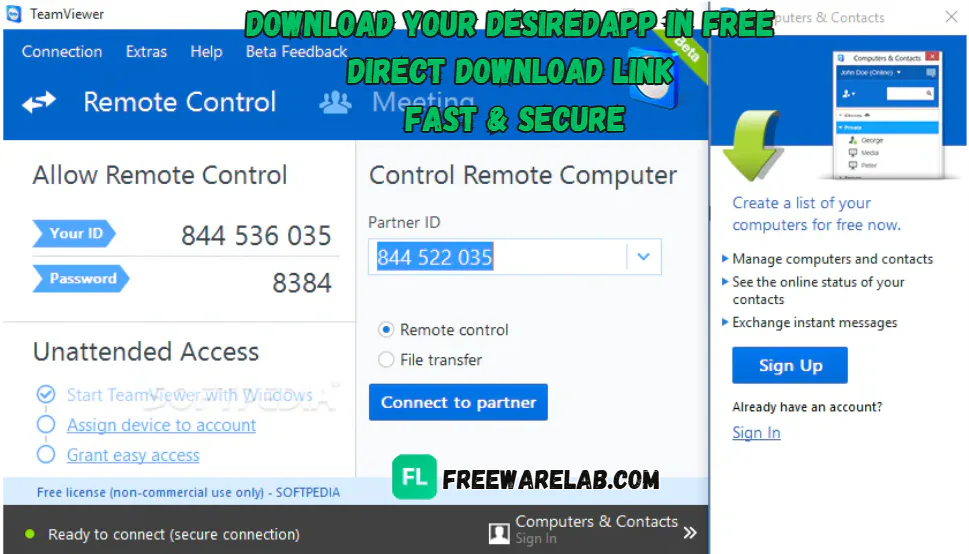
Simple Remote Access for Beginners
TeamViewer software is very beginner friendly. You do not need technical knowledge to use it. The clear options easy steps make remote access simple for everyone.
Best Alternatives to TeamViewer Portable
- AnyDesk Portable is a fast remote desktop tool that you can run without installing.
- Chrome Remote Desktop works through your web browser. You don’t need to download a big program.
- UltraVNC Portable lets you connect to and control another PC without installation.
- Portable RDP tools let you use Microsoft Remote Desktop without installing additional software.
- TightVNC Portable is another lightweight remote access option that runs without setup.
How to Download and Use TeamViewer Portable
How to Download
- Download the portable ZIP file.
- Extract the ZIP file using WinRAR or 7-Zip.
- No installation is required.
How to Use
- Open the extracted folder.
- Double-click TeamViewer.exe.
- No installation required it runs instantly.
- Share your ID & Password with the other user.
- Enter the Partner ID to connect remotely.
- Choose Remote Control or File Transfer.
- Start controlling or sharing the screen safely.
- Close the app to end the session.
TeamViewer Portable Pros & Cons
Pros
No installation needed, just run and use
Can be used from a USB drive
Works on any compatible computer
Very easy to use, even for beginners
Fast and secure remote connection
Does not leave files on the computer
Useful for quick support and troubleshooting
Cons
Some advanced features are limited
Needs internet connection to work
Free version may show usage limits
Not ideal for long-term professional use
Performance depends on internet speed
TeamViewer Portable System Requirements
OS: Windows 7, 8, 10, or 11
Processor: 1 GHz or faster processor
RAM: 2 GB RAM or more
Storage: At least 200 MB free disk space
Network: Stable internet connection
FAQs Of TeamViewer Portable
1What is TeamViewer Portable?
TeamViewer Portable is a version of TeamViewer that runs without installation. You can use it directly from a USB drive or folder.
2Do I need to install TeamViewer Portable?
No. You just open the file and start using it. No setup or installation is needed.
3Is TeamViewer Portable free to use?
Yes, it is free for personal use. Business use requires a paid license.
4Can I use TeamViewer Portable on any computer?
Yes, you can use it on any supported computer without changing system files.
5Does TeamViewer Portable save files on the computer?
No. It does not leave traces or permanent files on the system.
TeamViewer Portable 15.73.6 Changelog - What's New 2026
Latest version changes and improvements
- Updated core remote access/stability improvements from the 15.73.x release line.
- Improved connection reliability resolving delays and connection issues seen in earlier builds.
- Enhanced UAC support (LAPS autofill) for smoother authentication prompts.
- Port forwarding behavior optimized with local IP mapping enabled by default.
- Various minor bug fixes and performance tweaks to boost stability and responsiveness.
Previous Versions
TeamViewer Portable 15.73.5
Dec 27, 202587 MB
Package Size
85.3 MB
5.0
2 reviews
Direct & Safe Download
Virus FreeVerifiedFast
Product Information
File Name
TeamViewer Portable 15.73.6 Download for Windows 2026
Developer
TeamViewer
License
Freeware
Total Downloads
0
Platform
Portable
1
Related Apps
Similar software you'll love

Related Tags
Explore more software in these categories
TeamViewer Portable 15.73.6 Download for Windows 2026 Tested & Verified
by FreewareLab Security Team
SECURE
0/72
VirusTotal
Jan 24
Test Date
Win 11
Platform
100%
Trust Score
No MalwareNo AdwareClean InstallFeatures Verified
A
Alan PageVerifiedTOP
Software Security Analyst at FreewareLab
Our Verification Process
Security Scan
Every file scanned with 72+ antivirus engines via VirusTotal
Installation Test
Clean install verified - no bundleware, adware, or PUPs
Feature Verification
All advertised features tested and confirmed working
5.0
Excellent
2 ratingsRating Breakdown
5
2(100%)
4
0
3
0
2
0
1
0
Write a Review
for TeamViewer Portable 15.73.6 Download for Windows 2026
0 Reviews
Click to share your experience