4K Video Downloader Plus 26.0.2 for Windows (2026)
26.0.2Updated
Virus FreeNo AdwareSafe DownloadLab Tested
Download 4K Video Downloader Plus to save high-quality videos, audio, playlists, and subtitles from YouTube and other websites. Get a fast, secure, ad-free direct download link for Windows.
Virus-free • Verified by FreewareLab
Download Best 4K Video Downloader latest Version - Freewarelab
Download 4K Video Downloader Plus to save high-quality videos, audio, playlists, and subtitles from YouTube and other websites. Get a fast, secure, ad-free direct download link for Windows.
5.0(2)
24 downloads
Feb 6, 2026
4K Video Downloader Plus 26.0.2 for Windows (2026) Video Overview
Watch this video to learn more about 4K Video Downloader Plus 26.0.2 for Windows (2026) features and how to use it.
4K Video Downloader Plus
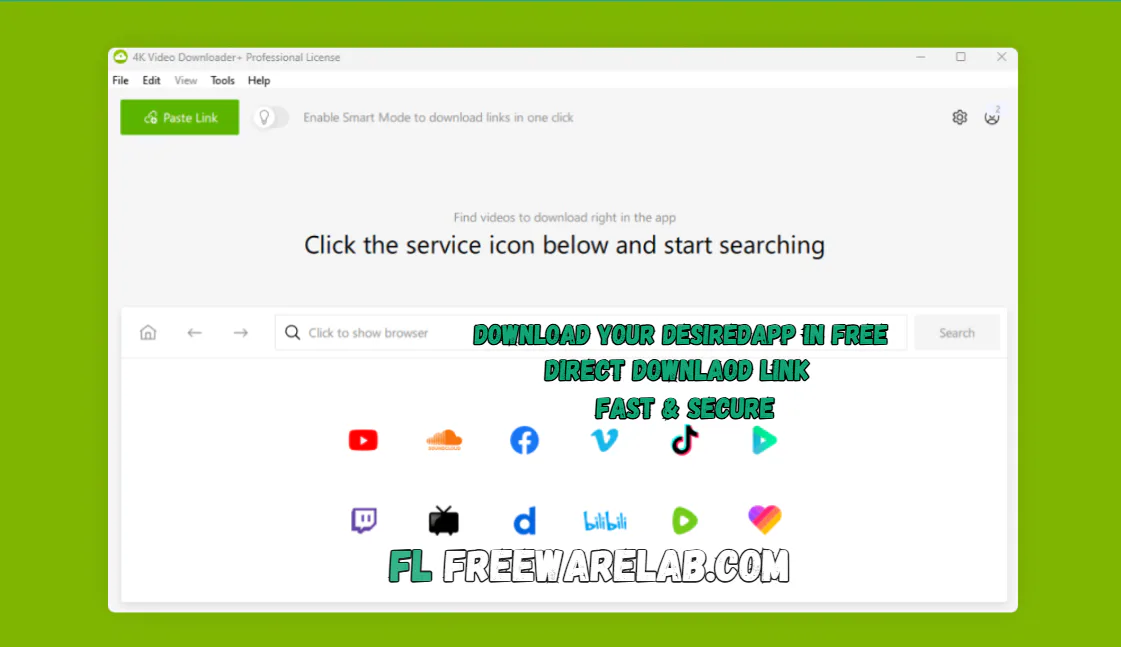
4K Video Downloader Plus is an easy tool. It helps you download videos, audio, and subtitles from the internet in high quality. It lets you save individual videos and full playlists. You can enter channels and watch them anytime even without the internet, with just one click.
This software is made for beginners and regular users. It works fast, looks clean, and keeps everything simple.
Main Uses of 4K Video Downloader
- Download videos in HD, 4K, and even 8K
- Save videos in MP4, MKV, or 3GP
- Extract audio as MP3, M4A, or OGG
- Download subtitles or embed them into videos
- Save YouTube playlists and channels
- Watch videos offline on any device
Supported Video Platforms
- YouTube & YouTube Gaming
- Vimeo
- Dailymotion
- Tiktok
- SoundCloud
- Flickr
- Tumblr
Recent Improvements in 4K Video Downloader Plus
- Protected content access
- Built-in browser inside the app
- Android download option
- YouTube Shorts, Kids & Gaming support
- Smart Mode for faster downloads
- Proxy support for blocked regions
- Auto-download for new YouTube videos
- 3D and 360° video downloads
- Easy download management
Main Uses of 4K Video Downloader Free Download
You can use 4K Video Downloader in many simple ways. You can download videos to watch later when there is no internet. You can save music from videos as audio files. You can also download subtitles or full playlists in one go. It is very useful for studying videos, entertainment, and offline viewing.
Main Features of Download 4K Video Downloader
- Download videos in 720p, 1080p, 4K, and 8K
- Enjoy clear videos on TV, phone, or tablet
- Save full playlists and channels in one click
- Create .m3u playlist files automatically
- Download subtitles as.SRT
- Or embed subtitles directly into the video
- Set your favorite quality and format once
- You can downloads without tech export
- All future downloads follow the same settings
- Download 3D videos for a special viewing experience
- Enjoy 360° videos by changing the view angle
- Download videos blocked in your country
- Easy proxy setup inside the app
- Simple and clutter-free design
- Easy buttons and clear options
- Fast access to main features
- You can convert video 4k youtube to mp3
Available Formats and Quality Options
- Video formats: MP4, MKV, FLV, 3GP
- Audio formats: MP3, M4A, OGG
- Video quality options:
- 720p
- 1080p Full HD
- 4K Ultra HD
- 8K (if available)
- Option to keep original video quality
- Audio-only download option available
How to Download Videos Using 4K Video Downloader
To download a video, copy the video link from your browser. Open the app and click on “Paste Link”. Choose your preferred format and quality. The download will start automatically. Once finished the file will be saved on your computer.
Best Alternatives to 4K Video Downloader
Any Video Converter
It allows you to download videos from the internet and convert them into different formats for easy playback on any device.
Freemake Video Downloader
It is a simple and beginner friendly program. It helps you save online videos quickly without complicated settings.
VSO Downloader
A smart downloader that supports many streaming websites. It automatically detects videos for easy downloading.
YTD Video Downloader
It is a popular downloader. It lets you save videos from many websites and convert them to common formats for offline viewing.
It is a popular download manager for Windows. You can download and manage files quickly with IDM.
Final Verdict
It is a powerful yet simple video downloader for everyone. It offers high quality downloads playlist support subtitles and smart features in one clean package. It is good for basic use but the paid plans are worth it if you download videos often. If you want fast safe and easy video downloads. It tool is a great choice.
How to Download and Use 4K Video Downloader
How to Download
- Click on the Download button.
- Wait for the file to finish downloading.
- Open the downloaded setup file.
- Follow the on-screen instructions.
- Click Install and wait a few seconds.
- Finish the setup and open the program.
How to Use
- Open your web browser and copy the video link you want to download.
- Open 4K Video Downloader+ on your computer.
- Click the Paste Link button.
- Select the video quality and format.
- Click Download.
- After downloading, open the file and enjoy offline viewing.
4K Video Downloader Pros and Cons
Pros
Very easy to use
High-quality downloads
Supports playlists and channels
Works on Windows, Mac, and Linux
Clean and safe installer
Cons
Free version has limits
Some sites may change compatibility
4K Video Downloader System Requirements
OS: Windows 7, 8, 10, or 11 (32-bit or 64-bit)
Processor: Intel or AMD processor
RAM: 2 GB RAM
Storage: At least 300 MB free disk space
Network: Stable internet connection
4K Video Downloader Plus Frequently Asked Questions (FAQs)
1Is 4K Video Downloader+ free?
Yes, but the free version has limits. Paid plans unlock all features.
2Can I download subtitles from YouTube?
Yes, you can download or embed subtitles.
3Can I download many videos at once?
Yes, playlists and channels are supported.
4Does my old license still work?
Yes, your license is still valid.
5Can I convert videos to MP3?
Yes, audio extraction is supported.
4K Video Downloader Plus 26.0.2 Changelog
Latest version changes and improvements
- Improved overall download speed and stability
- Fixed issues with YouTube and other popular sites
- Better support for 4K and 8K video formats
- Resolved audio sync problems in some downloads
- Improved subtitle download accuracy
- Fixed minor bugs and crashes
- Enhanced playlist and channel download performance
- Improved UI responsiveness on Windows
Package Size
259 MB
5.0
2 reviews
Direct & Safe Download
Buy License Officially
Virus FreeVerifiedFast
Product Information
File Name
4K Video Downloader Plus 26.0.2 for Windows (2026)
Developer
OpenMedia
License
Freeware
Total Downloads
24
Platform
Windows
4
Related Apps
Similar software you'll love
#1
Internet Download Manager 6.42 Build 60 for Windows (2026)
Internet Download Manager (IDM) boosts download speeds up to 10x, supports resume and scheduling, and grabs streaming videos easily. Get the latest IDM version with a safe direct download link now!
v6.42 Build 60135.0
#2

Allavsoft Video Downloader 3.28.8.9497 Ultimate Latest Version
Allavsoft Video Downloader Converter is a video downloader and converter for Windows. It allows you copy a video link paste it into the app download the file in your chosen format.
v3.28.8.949725.0
#3

TubeMate Video Downloader 6.1.2 for Windows (2026)
TubeMate Video Downloader for Windows is a powerful video downloading application. If you want to download videos from YouTube, Facebook, Dailymotion, and Instagram.
v6.1.215.0
#4

Free Download Manager 6.32.0.6586 for Windows 2026
Free Download Manager for Windows is the best and most useful software for downloading files faster on your computer. You can use it to download videos music documents software without any ttrouble.
v6.32.0.658625.0
Related Tags
Explore more software in these categories
4K Video Downloader Plus 26.0.2 for Windows (2026) Tested & Verified
by FreewareLab Security Team
SECURE
0/72
VirusTotal
Feb 6
Test Date
Win 11
Platform
100%
Trust Score
No MalwareNo AdwareClean InstallFeatures Verified
A
Ash ColemanVerifiedTOP
Software Security Analyst at FreewareLab
Our Verification Process
Security Scan
Every file scanned with 72+ antivirus engines via VirusTotal
Installation Test
Clean install verified - no bundleware, adware, or PUPs
Feature Verification
All advertised features tested and confirmed working
5.0
Excellent
2 ratingsRating Breakdown
5
2(100%)
4
0
3
0
2
0
1
0
Write a Review
for 4K Video Downloader Plus 26.0.2 for Windows (2026)
0 Reviews
Click to share your experience