Adobe Flash Player Windows 10 Free 32.0.0.468
32.0.0.468New
Virus FreeNo AdwareSafe DownloadLab Tested
Download Adobe Flash Player for Windows 7, 10, and 11 to view videos, animations, designs, and interactive applications across all browsers. Manage security and settings easily with the Flash Player
Virus-free • Verified by FreewareLab
Download Adobe Flash Player Latest Version - Freewarelab
Download Adobe Flash Player for Windows 7, 10, and 11 to view videos, animations, designs, and interactive applications across all browsers. Manage security and settings easily with the Flash Player
5.0(1)
2 downloads
Feb 9, 2026
Adobe Flash Player Windows 10 Free 32.0.0.468 Video Overview
Watch this video to learn more about Adobe Flash Player Windows 10 Free 32.0.0.468 features and how to use it.
Adobe Flash Player Windows 10
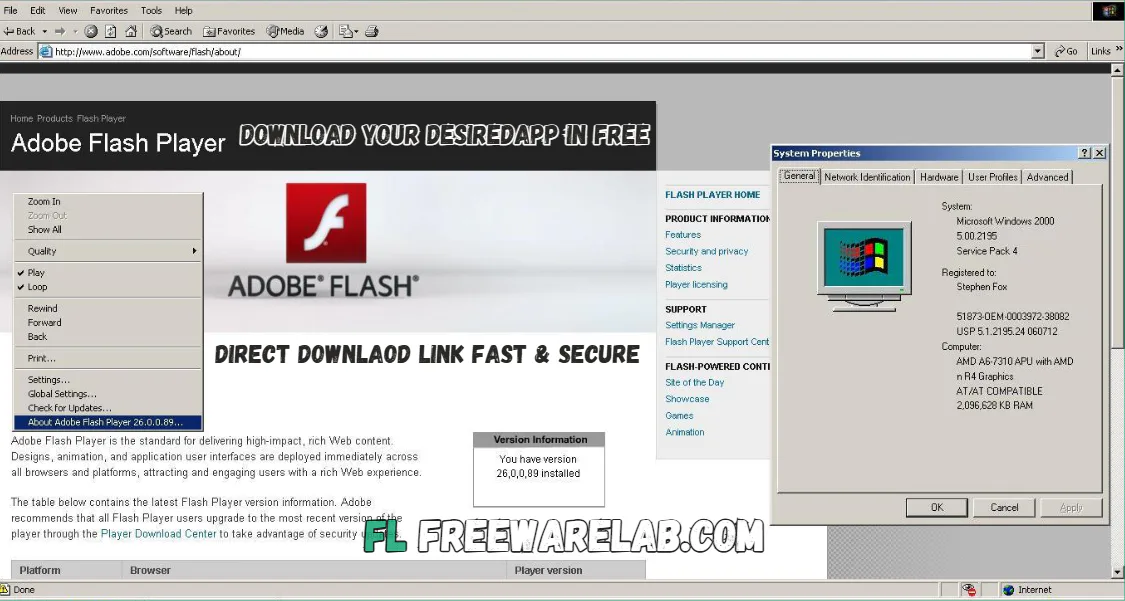
Adobe Flash Player Windows 10 was a widely used multimedia software. It allowed users to play videos, animations, games, and interactive content directly in a web browser. It was an important part of the internet and powered thousands of websites. It is best for online games, learning platforms, and media players.
Overview Adobe Flash Player
It was a browser based plugin developed by Adobe. It helped websites display moving content such as animations, cartoons, videos, audio, and interactive applications. Many older websites could not run properly without Flash Player installed.
Main Features of Adobe Flash Player for Windows
- Play animated videos and cartoons
- Run online browser games
- Support interactive buttons and menus
- Stream audio and video content
- Enable learning and training content
- Lightweight and easy to install
Why Adobe Flash Player Was So Popular
It is a very popular application. It works the same way on different computers and browsers. It is easy to create rich animations and games, and users enjoy smooth visuals and interactivity. Before modern web technologies, Flash Player was the best solution for multimedia content.
What Replaced Adobe Flash Player?
- HTML5 for videos, audio, and animations
- CSS3 for visual effects and motion
- JavaScript for games and interactivity
Adobe Flash Player on Windows 10 Main Functions
- Adobe Flash Player was a desktop app used to play videos, animations, and graphic content on the internet
- It worked on Windows OS and Mac operating systems
- Flash Player was supported by browsers like Internet Explorer, Google Chrome, Firefox, and Microsoft Edge
- It was developed by Adobe, a popular company known for multimedia and PDF software
- Users had to install the app to use Flash features on websites
- Adobe provided updates to improve security and overall performance
- Later, Microsoft and other browsers stopped supporting Flash Player
- Users were advised to remove Flash Player from modern computers
- Adobe no longer recommends using Flash Player on today’s desktop systems
Can You Still Use Adobe Flash Player Today?
It is a safe and easy to use application. It is not available for official support. Some people use Flash emulators or archived tools to play old Flash games offline. It is mainly for educational or preservation purposes.
Top Alternatives to Adobe Flash Player
HTML5: It is a modern web technology that supports video, audio, and animation. It works in all browsers without any plugin.
Ruffle: A Flash emulator made to run old Flash games and animations safely. It does not need the original Flash Player and protects users from security risks.
Flashpoint: It is an offline collection that preserves old Flash games and animations. It allows users to play thousands of classic Flash games on their computer.
JavaScript: It is combined with CSS3 and is widely used to create animations, games, and interactive effects on websites.
Final Words
It played a huge role in internet history. It shaped online games, videos, and interactive websites for many years. However, due to security and performance issues. It was replaced by faster and safer modern technologies.
How to Download and Use Adobe Flash Player
- You can click the download button
- The installer file was saved on the desktop
- Double-click the installer file
- Follow the on-screen installation steps
- Restart the browser after installation
- Click Allow when the Flash permission appears
- Open a website with Flash content
- Flash Player automatically ran videos, animations, or games
Adobe Flash Player Windows 10 Pros & Cons
Pros
Rich animations and games
Easy multimedia playback
Cross-browser support
Cons
Security risks
No longer supported
Blocked by browsers
Not mobile-friendly
Adobe Flash Player System Requirements
OS: Windows XP / Vista / 7 / 8 / 10
Processor: Intel Pentium 4 or equivalen
RAM: 512 MB (1 GB recommended)
Storage: 50–100 MB free space
Network: Required for online Flash content
Adobe Flash Player Frequently Asked Questions (FAQs)
1What was Adobe Flash Player used for?
It was used to run videos, animations, games, and interactive content on websites.
2Is Adobe Flash Player still supported?
No. Adobe officially ended Flash Player support in December 2020, and it no longer receives updates.
3Why was Adobe Flash Player discontinued?
It was discontinued due to security risks, poor performance, and better modern web technologies like HTML5.
4Can I still play old Flash games?
It only uses Flash emulators or offline tools, not the original Flash Player.
Package Size
20 MB
5.0
1 review
Direct & Safe Download
Buy License Officially
Virus FreeVerifiedFast
Product Information
File Name
Adobe Flash Player Windows 10 Free 32.0.0.468
Developer
Adobe
License
Freeware
Total Downloads
2
Platform
Windows
Related Tags
Explore more software in these categories
Adobe Flash Player Windows 10 Free 32.0.0.468 Tested & Verified
by FreewareLab Security Team
SECURE
0/72
VirusTotal
Feb 9
Test Date
Win 11
Platform
100%
Trust Score
No MalwareNo AdwareClean InstallFeatures Verified
A
Ash ColemanVerifiedTOP
Software Security Analyst at FreewareLab
Our Verification Process
Security Scan
Every file scanned with 72+ antivirus engines via VirusTotal
Installation Test
Clean install verified - no bundleware, adware, or PUPs
Feature Verification
All advertised features tested and confirmed working
5.0
Excellent
1 ratingRating Breakdown
5
1(100%)
4
0
3
0
2
0
1
0
Write a Review
for Adobe Flash Player Windows 10 Free 32.0.0.468
0 Reviews
Click to share your experience