Avast Premium Security 26.1.10738 for Windows (2026)
26.1.10738Updated
Virus FreeNo AdwareSafe DownloadLab Tested
Avast Premium Security delivers award-winning antivirus with advanced protection against scams, ransomware, and online threats for complete peace of mind.
Virus-free • Verified by FreewareLab
Download Avast Premium Security Latest Version - Freewarelab
Avast Premium Security delivers award-winning antivirus with advanced protection against scams, ransomware, and online threats for complete peace of mind.
5.0(3)
16 downloads
Feb 4, 2026
Avast Premium Security 26.1.10738 for Windows (2026) Video Overview
Watch this video to learn more about Avast Premium Security 26.1.10738 for Windows (2026) features and how to use it.
Avast Premium Security
Avast Premium Security is a powerful antivirus and internet security application. It can protect your system from online threats. If you want strong security when starting to use the internet. It is ideal for you. It is the best option for protecting against system viruses, firewall malware, and ransomware.
What is Avast Premium Security
It is an all-in-one security solution. It goes beyond basic antivirus protection. It not only detects and removes viruses. It also protects your personal data blocks hackers and keeps your online activities safe. It is suitable for home users who want complete protection for their system.
Key Features of Avast Premium Security
- Real-time antivirus protection
- An advanced firewall for network security
- Ransomware protection for important files
- Webcam protection against spying
- Protection from phishing and fake websites
- Automatic security and software updates
- Blocks unsafe downloads and links
Benefits of Using Avast Premium Security
It can help you to protect your system and save personal data. It gives privacy when you browse a shop or work online. It is also helpful for modern cyber threats. This application is easy to use and does not disturb your daily tasks. It works quietly in the background.
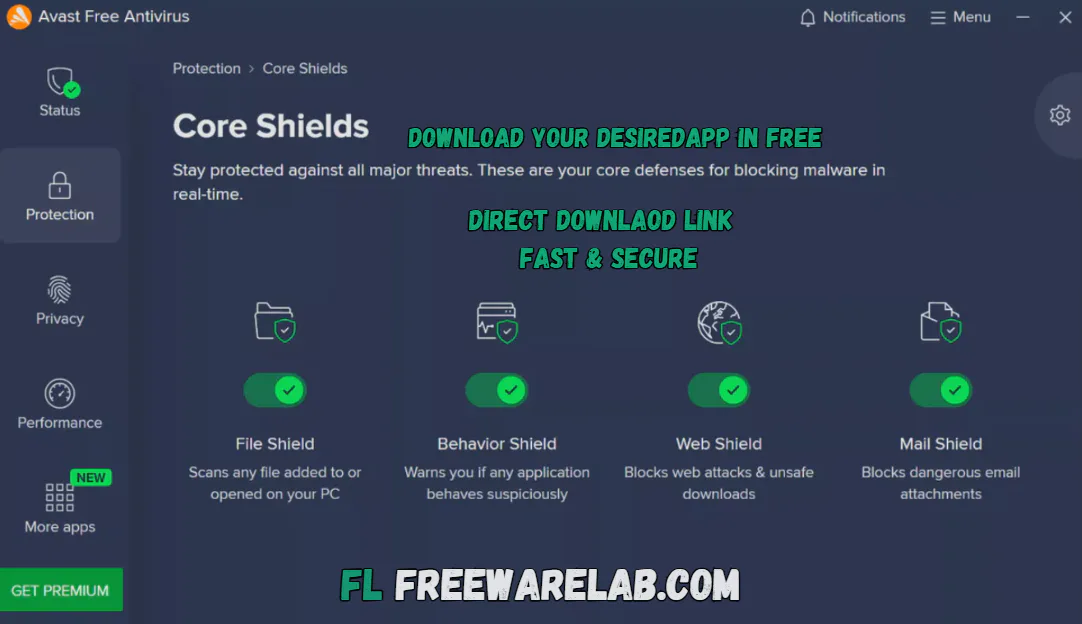
Avast Premium Security vs Free Antivirus
Avast Free Antivirus offers basic virus protection. It does not include advanced features like firewall control ransomware protection or webcam security. The Premium version provides complete protection. It is a better choice for users. Who want higher safety and privacy.
Best Alternatives to Avast Premium Security
Bitdefender Internet Security: It protects your PC from viruses, malware, and online threats with strong real-time security.
Norton 36 offers complete protection with antivirus, firewall, VPN, and identity protection features.
Kaspersky Internet Security: It helps keep your system safe from malware, phishing, and dangerous websites.
McAfee Total Protection: Provides all-in-one security with antivirus, privacy tools, and device protection.
Is Avast Premium Security Safe to Use?
It is a safe and legal application and trusted by millions of users. It receives regular updates to protect against the latest threats and provides reliable security for everyday internet use.
Final word
It is an excellent choice for users. Who wants full protection against online threats? It provide the multiple features in place like firewall, antivirus, ransomware, and privacy tool. If you want strong security and better online safety. It is worth using.
How to Download and Use Avast Premium Security
How to Download
- Click Download Avast Premium Security.
- The setup file will start downloading to your computer.
- Once the download is complete, open the installer file.
- Double-click the downloaded setup file.
- Click Install to start the installation process.
- Wait a few minutes while the software installs automatically.
- After installation, Avast will launch on its own.
How to Use
- Open Avast Premium Security from your desktop or Start menu.
- The software will automatically begin protecting your system in real time.
- Click Scan to run a full system scan for threats.
- Use the Protection section to manage firewall, ransomware, and web security.
- Keep the software updated to stay protected against new threats.
Avast Premium Security Pros and Cons
Pros
Strong virus and malware protection
Advanced firewall security
Protects files from ransomware attacks
Improves online privacy
Regular updates for new threats
Cons
Paid subscription required
Uses more system resources on older PCs
Some advanced options may be confusing for beginners
Avast Premium Security System Requirements
OS: Windows 7, Windows 8, Windows 10, or Windows 11
Processor: Intel or AMD processor with 1 GHz or faster
RAM: Minimum 1 GB (2 GB or more recommended)
Storage: At least 2 GB available
Network: Required for updates and online protection
Avast Premium Security Frequently Asked Questions (FAQs)
1What is Avast Premium Security
It is a paid antivirus software that provides full protection against viruses, malware, ransomware, hackers, and online threats.
2Is Avast Premium Security free to use?
No, Avast Premium Security is a paid product. It offers more advanced features than the free version.
3Does Avast Premium Security protect against ransomware?
Yes, it includes a ransomware shield that protects important files from unauthorized access.
4Does Avast Premium Security have a firewall?
Yes, it comes with an advanced firewall that helps block hackers and unsafe network connections.
5Is Avast Premium Security safe for Windows 11?
Yes, Avast Premium Security fully supports Windows 11 and works smoothly on it.
6Can I use Avast Premium Security on more than one device?
Yes, multi-device plans are available depending on the subscription you choose.
Avast Premium Security 26.1.10738 Changelog
Latest version changes and improvements
- Improved overall system stability and performance
- Fixed issues with license and subscription detection
- Corrected trial expiration date display problems
- Improved installation and upgrade process
- Fixed bugs during uninstall from older versions
- Better compatibility with Windows security updates
- Updated language translations and text clarity
- Minor UI improvements for a smoother user experience
Package Size
784.6 MB
5.0
3 reviews
Direct & Safe Download
Buy License Officially
Virus FreeVerifiedFast
Product Information
File Name
Avast Premium Security 26.1.10738 for Windows (2026)
Developer
Avast
License
Freeware
Total Downloads
16
Platform
Windows
4
Related Apps
Similar software you'll love
#1

IObit Malware Fighter Pro 13.1.0.1617 for Windows (2026)
Download IObit Malware Fighter PRO for windows is an advanced antivirus that delivers multi-layer protection against malware, spyware, ransomware, and online threats to keep your PC safe.
v13.1.0.161775.0
#2

Malwarebytes Premium 5.4.6.227 For Windows (2026)
Download Malwarebytes Premium for Windows is a powerful anti-malware and security software. It is designed to protect your computer from viruses, ransomware, spyware, adware, and other online threats.
v5.4.6.22755.0
#3

Kaspersky VPN Download 21.23.6.614 for Windows 2026
Kaspersky VPN Download Full Version for Windows is the best software for keeping you safe and private online. Made by Kaspersky it hides your IP address protects your data while you browse online.
v1.23.6.61455.0
#4
Bitdefender Total Security 27.0.55.298 for Windows (2026)
Bitdefender Total Security is an award-winning security suite that protects Windows, macOS, Android, and iOS devices. Secure your data, block malware, stop online threats, and enjoy complete privacy
v27.0.55.29845.0
Related Tags
Explore more software in these categories
Avast Premium Security 26.1.10738 for Windows (2026) Tested & Verified
by FreewareLab Security Team
SECURE
0/72
VirusTotal
Feb 4
Test Date
Win 11
Platform
100%
Trust Score
No MalwareNo AdwareClean InstallFeatures Verified
A
Ash ColemanVerifiedTOP
Software Security Analyst at FreewareLab
Our Verification Process
Security Scan
Every file scanned with 72+ antivirus engines via VirusTotal
Installation Test
Clean install verified - no bundleware, adware, or PUPs
Feature Verification
All advertised features tested and confirmed working
5.0
Excellent
3 ratingsRating Breakdown
5
3(100%)
4
0
3
0
2
0
1
0
Write a Review
for Avast Premium Security 26.1.10738 for Windows (2026)
0 Reviews
Click to share your experience