Iriun Webcam 2.9.1 Download for Windows (2026)
2.9.2New
Virus FreeNo AdwareSafe DownloadLab Tested
Download Iriun Webcam for Windows and turn your smartphone into a high-quality HD or 4K PC webcam. Enjoy smooth video calls, streaming, online classes, and conferences with easy setup.
Virus-free • Verified by FreewareLab
Download Iriun Webcam for PC Latest Version - Freewarelab
Download Iriun Webcam for Windows and turn your smartphone into a high-quality HD or 4K PC webcam. Enjoy smooth video calls, streaming, online classes, and conferences with easy setup.
5.0(1)
2 downloads
Feb 18, 2026
Iriun Webcam 2.9.1 Download for Windows (2026) Video Overview
Watch this video to learn more about Iriun Webcam 2.9.1 Download for Windows (2026) features and how to use it.
Iriun Webcam
If you want to use your phone as a high quality webcam on your PC. Iriun Webcam is the easiest and most reliable tool available. It allows you to connect your Android or iPhone to your Windows computer and use it as a full HD or even 4K webcam. It is perfect for Zoom meetings and online classes. It is also best for YouTube streaming, Twitch, and video recording.
Overview Iriun Webcam Free Download
It is a simple Windows application. It turns your smartphone into a wireless or USB webcam. Instead of buying an expensive webcam. You can use your phone, camera, which usually has better quality.
It works with popular video apps like:
- Zoom
- Microsoft Teams
- Skype
- OBS Studio
- Google Meet
Why Choose Iriun Webcam 2.9.2 for Windows?
- Many users choose Iriun Webcam because:
- It supports HD and 4K video resolution
- Works over WiFi or USB
- Easy automatic connection
- Clean and lightweight software
- Works with most video conferencing and streaming apps
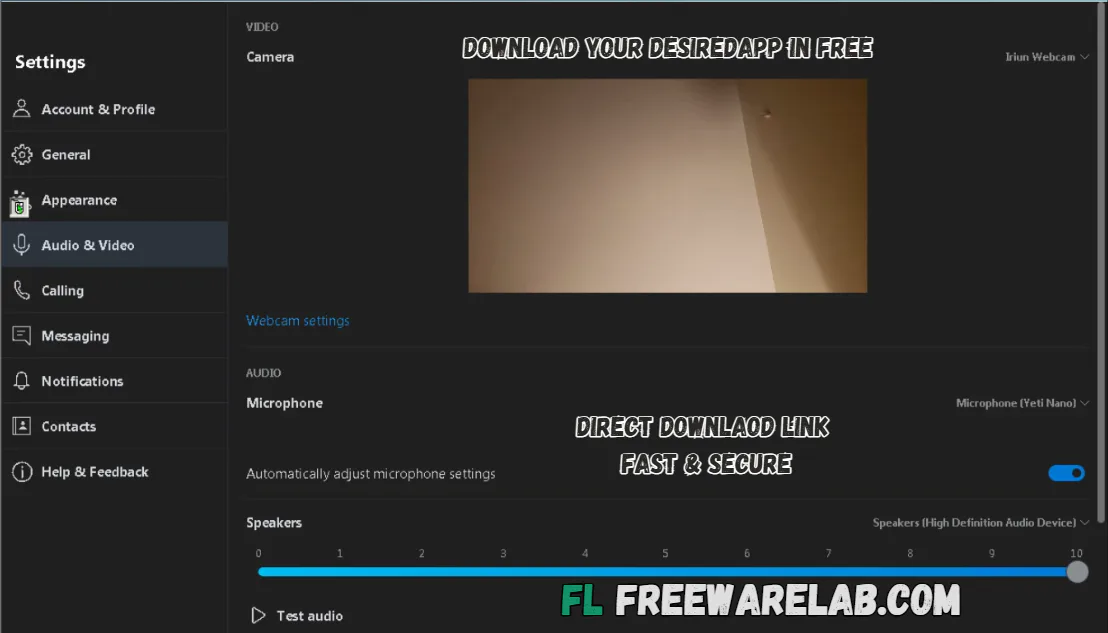
Main Features of Iriun Webcam
- Use an Android or an iPhone as a webcam
- Supports up to 4K resolution (depending on phone)
- USB and WiFi connection options
- Automatic device detection
- Works with popular streaming and meeting apps
Best Alternatives to Iriun Webcam App
DroidCam: It allows you to use your Android phone as a webcam for your PC. You can connect it with WiFi or USB and use it for Zoom, Skype, or streaming.
EpocCam: It turns your phone into a wireless webcam for Windows and Mac. It works well for video calls and online meetings.
ManyCam: It is a webcam software. It adds effects, filters, and backgrounds to your video. It is great for live streaming and online classes.
OBS Virtual Camera: It uses your OBS Studio video output as a webcam. It is perfect for streamers who want professional video setups.
Snap Camera: It adds fun Snapchat-style filters to your webcam. You can use it during video calls to make your video more creative and fun.
Final Verdict
If you need a simple and cost effective webcam solution. Iriun Webcam for Windows is a great choice. It offers good video quality and easy setup. It works with the most popular apps. Instead of buying a new webcam. You can turn your smartphone into a powerful HD camera in just a few minutes.
How to Download & Use Iriun Webcam
How to Download
- Download the installer file.
- Open the downloaded setup file.
- Click Install and wait for the installation to complete.
- Launch the Iriun Webcam app on your PC.
Connect Your Phone to PC
You have two connection options:
WiFi (Wireless)
- Make sure your PC and phone are connected to the same WiFi network.
- Open Iriun on both devices.
- The connection will happen automatically.
USB (More Stable)
- Connect your phone to PC using a USB cable.
- Enable USB debugging (Android only, if required).
- Open Iriun on both devices.
- The webcam will connect automatically.
Iriun Webcam Pros and Cons
Pros
High video quality
Easy setup
Free version available
Works wirelessly
Lightweight software
Cons
Requires a stable internet for WiFi mode
Advanced features may require a premium
The battery drains faster on the phone
Iriun Webcam System Requirements
OS: Windows 7, 8, 10, or 11
Processor: 1 GHz or faster CPU
RAM: 2 GB or higher
Storage: 50 MB free space
Network: Stable Wi-Fi network for wireless mode
Iriun Webcam Frequently Asked Questions (FAQs)
1Is Iriun Webcam free?
It offers a free version with basic features.
2Can I use Iriun Webcam without WiFi?
You can connect using a USB cable.
3 Does it support Windows 11?
It works with Windows 11.
4Can I use it for streaming?
It works with OBS Studio and other streaming apps.
5Does it support 4K video?
If your phone camera supports 4K resolution.
What's New in Iriun Webcam 2.9.1 Download for Windows (2026) 2.9.2
Latest version changes and improvements
Package Size
6 MB
5.0
1 review
Direct & Safe Download
Buy License Officially
Virus FreeVerifiedFast
Product Information
File Name
Iriun Webcam 2.9.1 Download for Windows (2026) 2.9.2
Developer
Iriun
License
Freeware
Total Downloads
2
Platform
Windows
1
Related Apps
Similar software you'll love

Related Tags
Explore more software in these categories
Iriun Webcam 2.9.1 Download for Windows (2026) Tested & Verified
by FreewareLab Security Team
SECURE
0/72
VirusTotal
Feb 18
Test Date
Win 11
Platform
100%
Trust Score
No MalwareNo AdwareClean InstallFeatures Verified
A
Ash ColemanVerifiedTOP
Software Security Analyst at FreewareLab
Our Verification Process
Security Scan
Every file scanned with 72+ antivirus engines via VirusTotal
Installation Test
Clean install verified - no bundleware, adware, or PUPs
Feature Verification
All advertised features tested and confirmed working
5.0
Excellent
1 ratingRating Breakdown
5
1(100%)
4
0
3
0
2
0
1
0
Write a Review
for Iriun Webcam 2.9.1 Download for Windows (2026)
0 Reviews
Click to share your experience