Media Player Classic 6.4.9.1 For Windows
6.4.9.1New
Virus FreeNo AdwareSafe DownloadLab Tested
Download Media Player Classic for Windows with a fast and direct download link. Enjoy a lightweight and powerful media player that supports almost all video and audio formats with smooth HD playback.
Virus-free • Verified by FreewareLab
Download Media Player Classic Home Cinema (MPC-HC) - Freewarelab
Download Media Player Classic for Windows with a fast and direct download link. Enjoy a lightweight and powerful media player that supports almost all video and audio formats with smooth HD playback.
5.0(1)
2 downloads
Mar 4, 2026
Media Player Classic 6.4.9.1 For Windows Video Overview
Watch this video to learn more about Media Player Classic 6.4.9.1 For Windows features and how to use it.
Media Player Classic
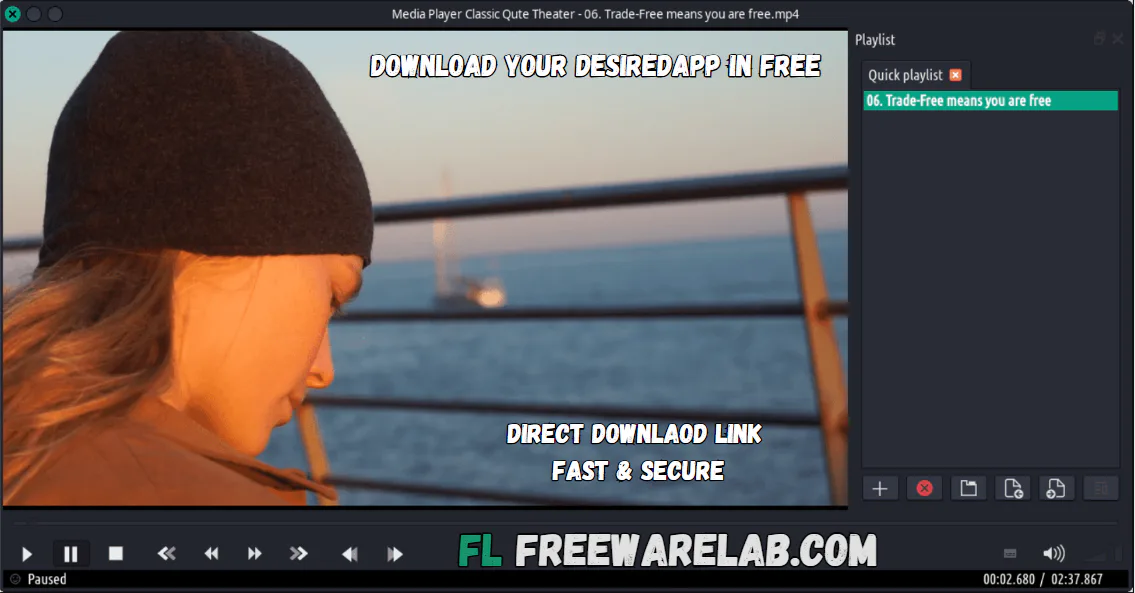
Media Player Classic is a simple player for Windows. It can play almost any video or audio file without needing to install extra codecs. The player is popular. It also supports many different media formats. It runs smoothly even on older systems.
It is a similar interface to the Windows player. It is very familiar and comfortable to use. It is the best player for new and expert users. If someone has just started or uses players often, this one fits well. A solid choice for anyone to play media without any cost. It is a great option for watching movies and listening to music.
Key Features of Media Player for Windows
- Lightweight and very fast media player
- It supports many video and audio formats
- Give the smooth playback for HD and 4K videos
- Built-in codecs so no extra downloads needed
- Simple and clean user interface
- Microsoft Windows Media Player 6.4 MPC-HC Team developer
- Subtitle support for many languages
- Customizable playback settings
- Low CPU and memory usage
Why People Like Media Player Classic
It is a great choice for users for a simple and powerful media player without unnecessary features. Many modern media players are heavy and slow. MPC focuses on smooth video playback and easy controls. It works well on older computers.
It supports many popular formats like MP4, AVI, MKV, and MP3. It is a reliable choice for everyday media use. Many users still use this media player for everyday video watching. You can enjoy high quality videos on your PC.
Best Alternatives to Media Player Classic
- VLC Media Player: It is a popular open source media player and supports almost all media formats.
- PotPlayer: It is an advanced media player. It provides multiple customization options for users.
- KMPlayer: A useful application to play your favorite songs and movies without any ads.
- GOM Player: It gives all the codes and smooth playback for free.
Final Words
Smooth playback matters most here; built light for Windows. Simplicity stands out when reliability counts. Those needing just a player will find it fits their needs. Heavy demands on your machine? Not an issue it causes. A solid choice if you want something straightforward. Worth a look when searching for a no-cost option on Windows.
How to Download and Use Media Player Classic
How to Download
- Click the Download button.
- Save the installer file on your system.
- Open the downloaded setup with WinRAR.
- Double-click the file and run the installation.
- Follow the screen instructions and complete the process.
- After installation, launch it on the desktop.
How to Use
- Open Media Player Classic on your computer.
- Click File from the top menu.
- Select Open File to choose a video or audio file.
- Use the control buttons to play, pause, stop, or adjust volume.
- Add subtitles if needed while watching movies.
Media Player Classic Pros and Cons
Pros
Free and open-source software
Very lightweight and fast
Supports many file formats
Easy to use for beginners
Works well on older PCs
Cons
Interface looks old compared to modern players
Fewer advanced streaming features
Limited online media integration
Media Player Classic System Requirements
OS: Windows 7, 8, 10, 11
Processor: Intel or AMD processor
RAM: 1 GB or more
Storage: 100 MB free space
Graphics: Basic graphics card for HD playback
Media Player Classic Frequently Asked Questions (FAQs)
1Is Media Player Classic free?
It is completely free and open-source software.
2Does Media Player Classic support all video formats?
It supports the most popular formats like MP4, AVI, MKV, MP3, and many others.
3Can Media Player Classic play HD videos?
It can smoothly play HD and even high-resolution videos.
4Is Media Player Classic safe to use?
It is safe if downloaded from our website
5Does Media Player Classic work on Windows 11?
It works well on all Windows versions.
Package Size
42.1 MB
5.0
1 review
Direct & Safe Download
Buy License Officially
Virus FreeVerifiedFast
Product Information
File Name
Media Player Classic 6.4.9.1 For Windows
Developer
MPC-HC Team
License
Freeware
Total Downloads
2
Platform
Windows
4
Related Apps
Similar software you'll love
#1

Bandicam 8.3.0.2533 Latest Version Free Download
Bandicam 8.3.0.2533 is the best screen recording software for Windows helping you record your computer screen games and webcam.
v8.3.0.253335.0
#2
Wondershare UniConverter 17.2.1.497 Download for Windows 2026
Download Wondershare UniConverter with a Direct Link is the best software for working with videos without any trouble. You can change videos into different formats make large files smaller.
v17.2.1.49725.0
#3

Topaz Video Enhance AI 7.1.6.01 For Windows (2026)
Experience high-quality video enhancement with Topaz Video Enhance AI. Instantly turn blurry videos into crystal-clear HD and 4K using advanced AI. Download the latest version via a fast, direct link
v7.1.6.0125.0
#4
Adobe Dimension 4.1.7.4712 Download for Windows 2026
Download Adobe Dimension with a Direct Link is the best 3D design software for creating realistic product images packaging designs and brand visuals. It allows you place your own logos and graphics.
v4.1.7.47125.0
Related Tags
Explore more software in these categories
Media Player Classic 6.4.9.1 For Windows Tested & Verified
by FreewareLab Security Team
SECURE
0/72
VirusTotal
Mar 4
Test Date
Win 11
Platform
100%
Trust Score
No MalwareNo AdwareClean InstallFeatures Verified
A
Ash ColemanVerifiedTOP
Software Security Analyst at FreewareLab
Our Verification Process
Security Scan
Every file scanned with 72+ antivirus engines via VirusTotal
Installation Test
Clean install verified - no bundleware, adware, or PUPs
Feature Verification
All advertised features tested and confirmed working
5.0
Excellent
1 ratingRating Breakdown
5
1(100%)
4
0
3
0
2
0
1
0
Write a Review
for Media Player Classic 6.4.9.1 For Windows
0 Reviews
Click to share your experience